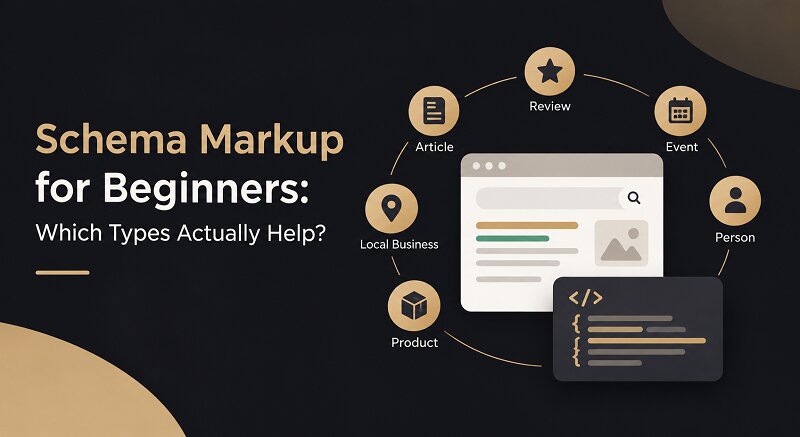
Search “schema markup” and you’ll find guides telling you to add every type under the sun. Don’t. A decent Chicago SEO company will usually say the reverse: pick three or four types, get them right, and ignore the rest.
That’s the plan here. We’ll cover what schema is, the types that pay off, the ones that don’t, and how to put it on your site without breaking anything.
What Schema Markup Actually Is?
Your product page says $49 and 4.8 stars. You read that in half a second. Google has to work it out from the text around it, and sometimes it gets it wrong.
Schema markup fixes that. It’s a bit of code, written in the vocabulary at Schema.org, that spells out what each part of the page means. Most sites use JSON-LD, which Google recommends. It sits in a script tag apart from your visible copy, so adding or removing it never touches your design.
Why Bother With It?
Let’s be clear about one thing first. Schema isn’t a ranking factor. Google has said so more than once, so adding it won’t push you from page two to page one.
So why do it? Because of how your listing looks. Say two results show up for the same pair of running shoes. One is plain text. The other has a price, an “in stock” label, and 4.6 stars. You’d click the second, and so would most people, even if it ranks a spot lower. Same position, more clicks.
There’s another reason, and it’s getting bigger. AI search features pull from pages they can read cleanly. Well-labeled pages are simply easier to quote.
The Schema Types Worth Adding:
I’d add these in roughly this order.
Organization goes on your homepage, once. It tells search engines your business name, logo, and social profiles. Dull, yes. But everything else builds on it.
LocalBusiness is the one to have if people find you by location. Fill in your address, phone number, hours, and service area. A bakery in Chicago or a plumber in Austin gets a lot from it, because it backs up what’s already in your Google Business Profile.
Product and Offer are where online stores earn their keep. Price, stock status, and ratings can show up right in search. The classic slip is a price in the code that doesn’t match the price on the page. Google notices.
Review and Aggregate Rating bring the stars. Mark up only genuine reviews that visitors can see on the page. Google also restricts stars when a business reviews itself, so don’t try it.
Article is for blog posts. It covers the headline, author, and dates, and makes the author and last-updated date easy for search engines to read. Most SEO plugins add it for you, so check before you add it twice.
BreadcrumbList swaps a clunky URL for a tidy trail like Home > Blog > Schema. Almost no effort, almost no risk.
VideoObject, Event, and JobPosting? Only if the page really is a video, an event, or a job listing.
Match the Schema to Your Site:
Different sites need different setups.
A local service business needs Organization and LocalBusiness on the homepage, with the same details repeated on the contact page.
An online store adds Product and Offer on every product page and BreadcrumbList across the categories. Include AggregateRating if you show customer reviews.
A blog or publisher puts an Article on every post, plus Organization sitewide. Author details help.
An agency or B2B company mostly needs Organization and Article. Add LocalBusiness only if there’s an office people can visit.
A Quick Example:
Say you run a small furniture store in Chicago with an online shop. Your homepage gets Organization and LocalBusiness, so search engines know who you are and where the showroom is. Each product page gets Product and Offer, pulling price, stock, and rating from the page. Blog posts get articles. Category pages get BreadcrumbList.
Four types. No FAQ code, nothing exotic. One person can do it in an afternoon, and it covers nearly everything Google rewards for a store like this. Add more later, once the basics are clean.
What to Skip?
FAQPage and HowTo used to be everywhere. Then in 2023 Google cut FAQ rich results back to mostly well-known government and health sites, and it pulled back HowTo results too. Marking them up won’t hurt, but don’t expect a payoff.
Google changes these rules often. Before you spend hours on any one type, check the current structured data documentation. My test is simple: if a type doesn’t lead to a rich result you could realistically win, skip it.
How to Add It?
You don’t need a developer for the basics.
Start by matching the type to the page. Homepage gets Organization, product page gets Product, blog post gets Article. Then generate the code. On WordPress, Yoast and Rank Math both handle this. Open the schema settings, pick your site type, fill in the organization details, and the homepage is covered in about ten minutes. Or write the JSON-LD yourself. Either way, test before you publish.
If that’s too much on top of your normal workload, a team offering SEO services can set it up and keep an eye on it for you.
Here’s a simple LocalBusiness example:
<script type="application/ld+json">
{
  "@context": "https://schema.org",
  "@type": "LocalBusiness",
  "name": "Lakeview Bakery",
  "url": "https://www.example.com",
  "telephone": "+1-312-555-0142",
  "address": {
    "@type": "PostalAddress",
    "streetAddress": "123 Main Street",
    "addressLocality": "Chicago",
    "addressRegion": "IL",
    "postalCode": "60601",
    "addressCountry": "US"
  },
  "openingHours": "Mo-Sa 07:00-18:00"
}
</script>
Swap in your own details. Then keep your name, address, and phone number identical everywhere online. Even “St.” versus “Street” can muddy things.
Testing It:
Run every page through Google’s Rich Results Test. It shows whether the page qualifies for enhanced listings. The Schema Markup Validator catches syntax slips. After launch, the Enhancements reports in Search Console flag errors as Google crawls your pages.
Then wait. Rich results can take days or weeks, and sometimes they never show, even with perfect code. Google doesn’t promise them.
Mistakes That Waste Time:
The classic mistake is marking up content people can’t see on the page. Schema has to match what visitors actually read.
Stale details come next. If your hours change or you run a sale, update the code too, or search keeps showing old info.
Then there’s a double schema. A theme and a plugin will often both add markup, and the two clash. Pick one source.
And no, don’t write your own five-star reviews. It breaks Google’s guidelines and can bring a manual penalty. Finally, check Search Console every month or two. Schema isn’t a set-and-forget job.
When to Bring in Help?
Plenty of owners handle schema themselves. Others don’t have the time, and that’s fine.
When you compare the best digital marketing agency options, ask how they handle structured data. Ask for live examples, not slides. An ecommerce SEO company should treat product schema as standard, not a paid extra.
Lists of the best SEO companies are handy for building a shortlist. Read the case studies before you commit, though. Good SEO services include a schema audit, testing, and follow-up checks in Search Console.
What to Do Next?
Schema won’t rescue a weak page. It makes a decent page clearer, and clearer pages win better listings.
Start with Organization or LocalBusiness. Add Article and BreadcrumbList to your content. Selling online? Add Product and Review. Test everything, skip the rest, and look at Search Console in a few weeks.
FAQs
1. What is schema markup in simple words?
It’s code that labels the information on your page, like a price, a review, or a business address, so search engines can read it clearly.
2. Is schema markup a ranking factor?
Not by itself. It helps search engines understand your page and can make you eligible for rich results, which often bring more clicks.
3. Which schema type should a beginner add first?
Organization on your homepage. Local businesses should add LocalBusiness next, and online stores should add Product.
4. Do I need a developer to add schema?
Not usually. WordPress plugins can generate the most common types. Custom or complex setups may need a developer.
5. How long do rich results take to show up?
Anywhere from a few days to a few weeks after Google recrawls the page. There’s no guarantee, even with perfect code.
